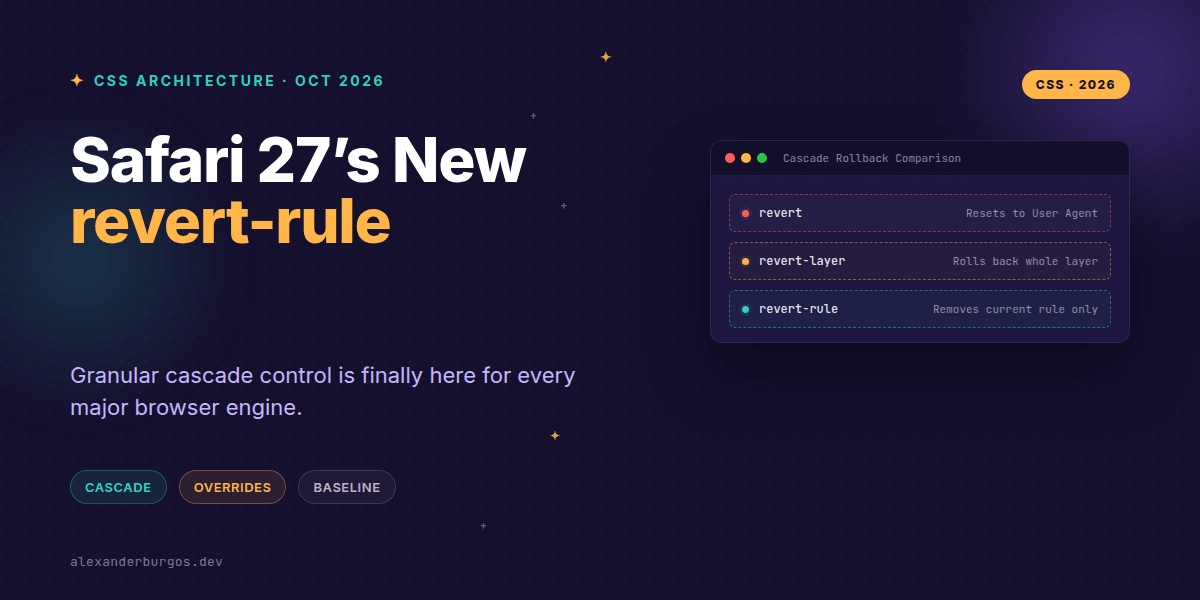
Right, let's talk about the missing piece of the CSS cascade puzzle that just quietly landed in our laps. With the release of Safari 27, we've finally reached a massive milestone: revert-rule is now cross-browser and officially part of the Web Platform Baseline.
I've been tracking this one for a while because it solves a very specific, very annoying problem in design systems. We've all been in that situation where we want to "undo" a property in a specific modifier class, but we don't want to reset the property to its initial browser state or accidentally break inheritance from a parent container.
What is revert-rule exactly?
According to the WebKit team, revert-rule rolls back the cascade specifically to the state as if the current style rule had not been present. It's the surgical scalpel of CSS keywords. While revert acts like a sledgehammer by rolling back to the user-agent styles, revert-rule just deletes the line you're currently writing from the browser's memory.
It’s important to distinguish this from its siblings. revert-layer rolls back the entire cascade layer (like moving from your 'components' layer back to your 'tokens' layer). revert-rule is much finer; it stays within the same layer but acts as if that specific selector didn't match the element for that specific property.
How it transforms Design System architecture
In a modern design system using @layer, we often have competing priorities. Let's look at a classic button scenario. You might have a base button style, a themed variant, and then a specific modifier that needs to 'opt-out' of a color change without losing the base tokens.
@layer tokens, components;

@layer tokens {
  :root {
    --btn-bg: #06c;
    color: #222;
  }
}

@layer components {
  .button {
    background: var(--btn-bg);
    padding: 1rem;
    font: inherit;
  }

  /* We want to remove the background override only */
  .button.is-ghost {
    background: revert-rule;
  }
}
In this example, background: revert-rule tells the browser: "Ignore this .is-ghost background declaration and tell me what the background would have been otherwise." It finds the .button declaration in the same layer and uses that. If .button wasn't there, it would look at the tokens layer.
Common misconceptions to watch out for
- It is not 'inherit':
revert-ruledoesn't just look at the parent. It looks at the cascade. If another rule in the same layer targets the element, it will use that instead. - It isn't 'unset':
unsetis a shortcut forinheritorinitial.revert-ruleis dynamic based on your CSS structure. - Property specific: You have to apply it to each property. Setting
all: revert-ruleworks, but usually, you'll want to target specific things likebox-shadoworborder.
Why Safari 27 matters
Chrome and Firefox have had this for a little while, but in the world of professional UX Engineering, a feature doesn't really exist until it's cross-browser. Safari 27.0 stable release was the final green light. We can now use this in production environments without worrying about broken layouts for iOS users.
I've found it particularly useful for utility classes. Sometimes you want a utility to 'remove' a shadow that was applied by a complex component rule. Using box-shadow: none might be too aggressive if you want to allow a lower-priority focus state to show through. revert-rule handles this gracefully.
I cover this and the other twenty-seven CSS shifts of 2026 in Modern CSS 2026 on Amazon, my catch-up book for people who learned CSS five years ago.
Wrapping Up
revert-ruleis now Baseline 2026, meaning it's safe for production across Chrome, Firefox, and Safari.- It allows for surgical removal of styles within a specific rule without disturbing the rest of the cascade.
- Use it to create more resilient design system modifiers that don't hard-code 'initial' values.
I highly encourage you to open up a CodePen and try nesting revert-rule within different cascade layers. It’s one of those features that feels like magic once you see how it preserves the integrity of your tokens.
If you want to go deeper and learn how to build real, production-ready CSS design systems step by step, check out my full course here: CSS Design Systems Course
Let's keep the conversation going. I'm always sharing CSS tips and design system deep-dives on Twitter and LinkedIn. Drop by and say hello!