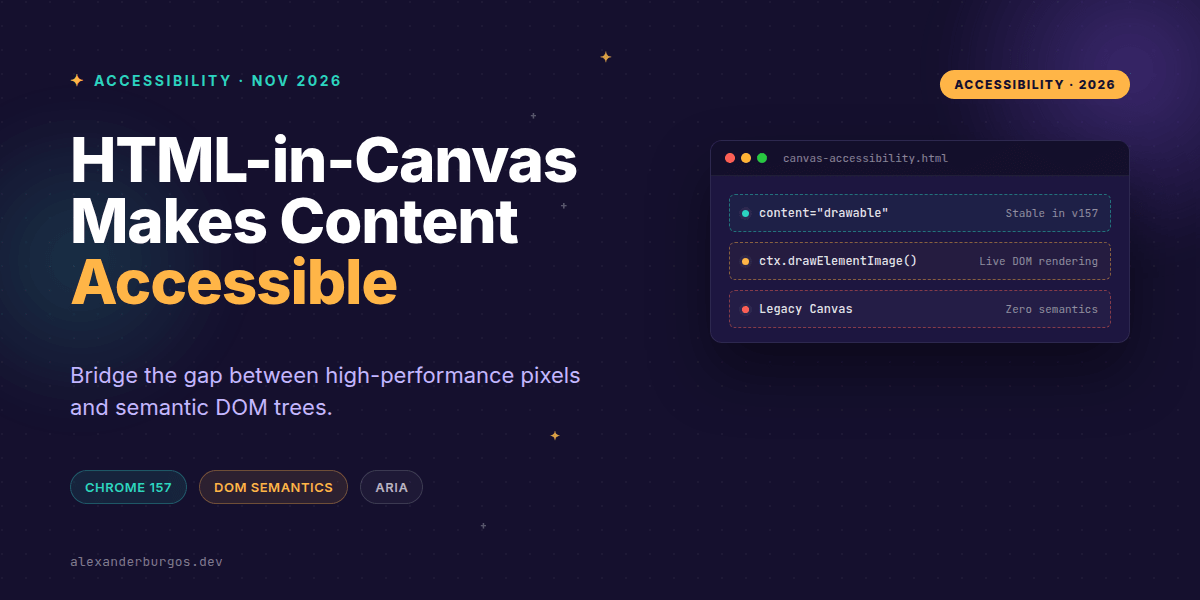
Right, let's talk about the 'black box' problem of the web. For decades, the <canvas> element has been a bit of a nightmare for those of us who care about accessibility. It's brilliant for performance and complex visualisations, but to a screen reader, it's just a flat, silent bitmap.
That officially changed on 26 October 2026. With the stable release of HTML-in-Canvas in Chrome 157, we finally have a way to marry the high-performance world of pixels with the semantic, interactive world of the DOM. I've been playing with the origin trials for a while, but seeing this hit stable is a genuine game-changer for UX engineering.
The End of the Bitmap Blind Spot
Traditionally, if you drew a 'button' on a canvas, you had to manually track mouse coordinates, handle keyboard focus via hidden 'off-screen' elements, and hope your ARIA labels didn't get out of sync. It was brittle and, frankly, exhausting to maintain.
As the MDN docs succinctly put it: 'The <canvas> element is just a bitmap and does not provide information about any drawn objects.' HTML-in-Canvas flips this on its head. It lets us place live DOM elements inside the canvas tag and render them directly into the 2D or 3D context.
<canvas id="game-ui" content="drawable" width="800" height="450">
  <button drawable id="start-btn">Start Mission</button>
</canvas>
The magic here is the content="drawable" attribute on the canvas and the drawable attribute on its children. This tells the browser: 'Keep this DOM alive, keep it accessible, but let me decide where it gets painted.'
Drawing with Semantics
In a Design System context, this is huge. You can now use your standard component library—buttons, links, headings—and render them inside a canvas scene without losing their native browser behaviours.
const canvas = document.querySelector("#game-ui");
const ctx = canvas.getContext("2d");
const btn = document.querySelector("#start-btn");

// This paints the actual DOM element onto the canvas
ctx.drawElementImage(btn, 50, 50);
When you call drawElementImage(), the browser doesn't just paint a static screenshot. It maintains a link between the pixels on the screen and the DOM node in the accessibility tree. If the button has a hover state in your CSS, it'll react. If a user tabs to it, the browser knows exactly where that button 'lives' on the canvas.
Design System Patterns for Canvas
I've been thinking about how this fits into a mature organisation's design system. We shouldn't just throw HTML into canvas and hope for the best. Here are the patterns I recommend:
- Semantic First: Use real
<button>and<a>tags. Don't fall back to painting text and adding ARIA roles manually. - Logical Focus Flow: Keep the DOM order inside the canvas logical. The browser handles
tabindexas usual, so ensure the visual layout matches the DOM sequence. - State Ownership: Let the DOM own the state. Use
aria-expandedordisabledattributes as the source of truth, then trigger a canvas redraw when those attributes change.
Handling WebGL and Complex Geometry
If you're using WebGL or WebGPU, or if you're manually animating elements, drawElementImage might not be enough. The browser needs to know where the element is for hit-testing and screen reader focus rings.
canvas.updateElementGeometry(btn, {
  x: 100,
  y: 200,
  width: btn.offsetWidth,
  height: btn.offsetHeight
});
This is a critical step. Without updating the geometry, the element exists in the accessibility tree but has no 'physical' presence. A screen reader user might find the button, but the browser won't know where to draw the focus highlight.
The Progressive Enhancement Reality
We have to be realistic: Chrome 157 is the pioneer here. While this is the future, Safari and Firefox haven't caught up yet. You absolutely must feature-detect this API before relying on it.
const isSupported =
  "content" in HTMLCanvasElement.prototype &&
  "drawElementImage" in CanvasRenderingContext2D.prototype;

if (!isSupported) {
  // Fallback to a standard DOM overlay or legacy canvas mode
  canvas.classList.add("use-fallback-ui");
}
One trap I've seen is developers duplicating UI—showing a DOM overlay for accessibility and a canvas version for everyone else. Don't do this. It creates duplicate focus stops and confusing announcements. Use the API to make the canvas itself accessible, or stay with a pure DOM approach.
The full story including the testing layers and governance lives in Ship Your Design System on Amazon.
Wrapping Up
- HTML-in-Canvas bridges the gap between high-performance graphics and the accessibility tree using the
drawableattribute. - Semantics are preserved automatically: buttons stay buttons, links stay links.
- Geometry updates via
updateElementGeometryare essential for correct hit-testing and screen reader focus.
I'd encourage you to try this out in your next data viz or game project. It's a massive leap forward for inclusive design on the web.
If you want to go deeper and learn how to build real, production-ready CSS design systems step by step, check out my full course here: CSS Design Systems Course
I'd love to hear your thoughts on this—feel free to reach out on Twitter or LinkedIn to chat about CSS, A11y, or Design Systems.