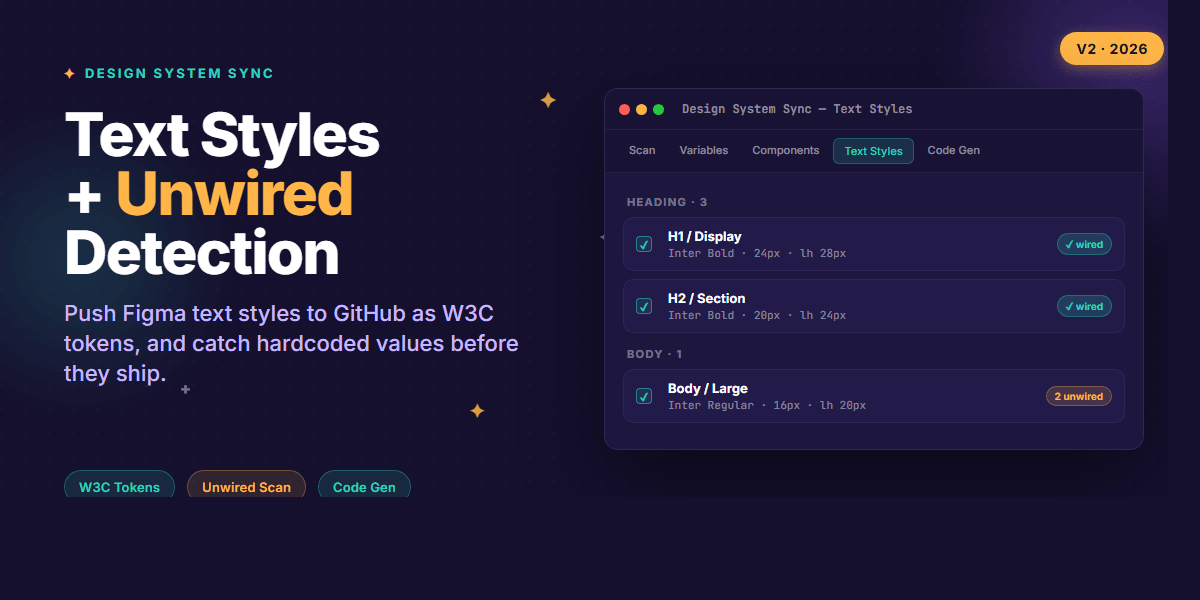
Right, let's talk about the two things that quietly break every design system I've worked on.
First, text styles. Designers create them, version them, group them — and then they sit in Figma. Engineers re-type the same font sizes and line heights into CSS, hoping nobody changes them. Second, hardcoded values. A component looks fine in Figma, but on inspection it's using #1a1a1a instead of {color.text.primary}. The design system is technically there, but the component isn't actually using it.
I built Design System Sync to close that gap, and v2 is the version where it stops being just a token exporter and starts being something I'd genuinely trust on a real product team. Here's what's new and why it matters.
Text Styles, finally
There's a new Text Styles tab next to Variables and Components. It picks up every text style in your file, groups them by category automatically (Heading, Body, Label, Caption — based on naming conventions), and shows the underlying values: family, weight, size, line height, letter spacing.
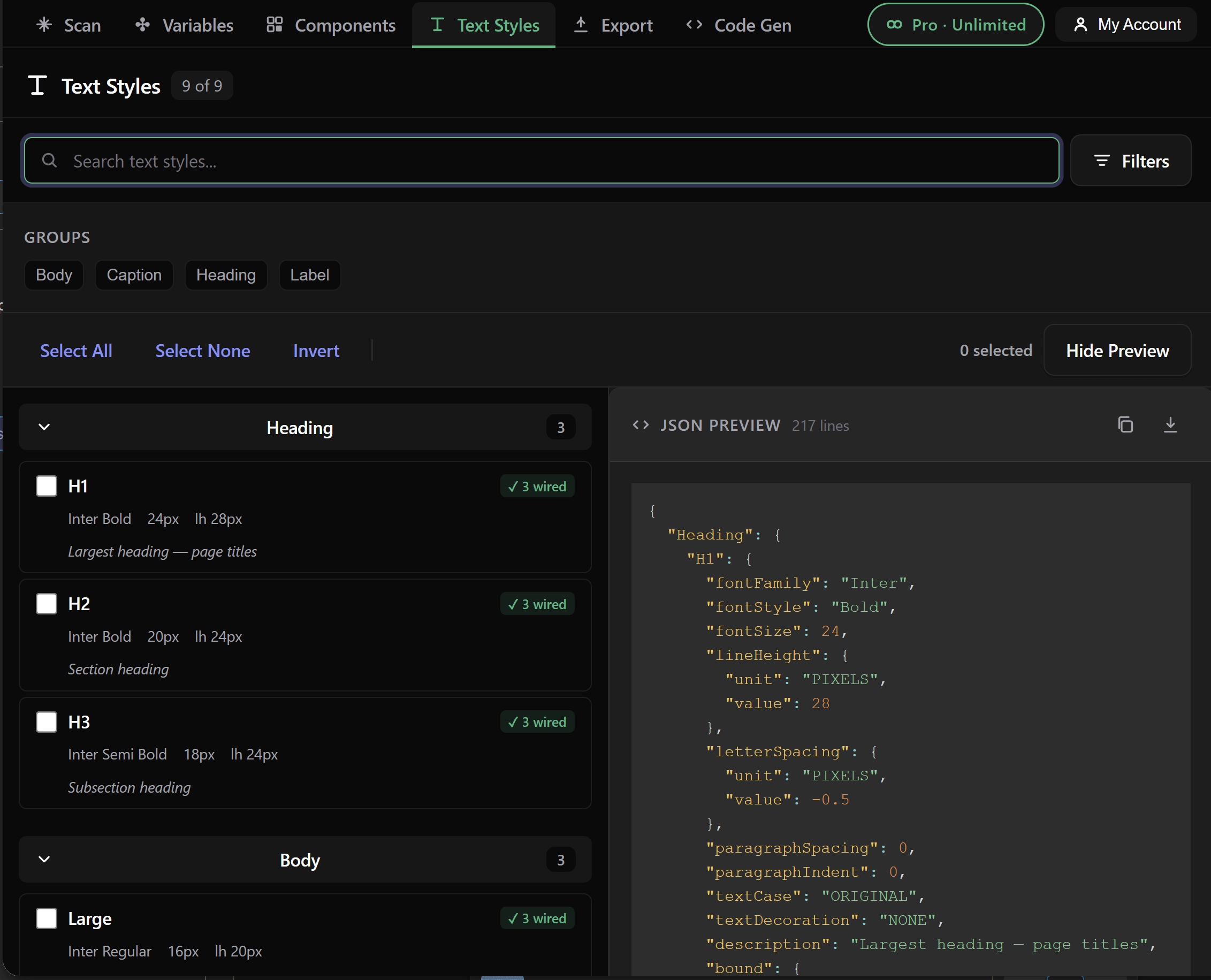
The bit I care about most: token references are preserved in the export. If your text style binds fontSize to a variable called font-size.sm, the output keeps that reference instead of flattening it to 14px. That's a small detail with a huge consequence — when the variable changes, your CSS or token JSON changes with it. No drift, no manual sync.
You can export in three formats:
- W3C Design Tokens — the spec format, drop-in for any tokens-aware tool
- CSS classes — ready-to-use
.h1,.body-large, etc. - Style Dictionary — for teams already on Amazon's pipeline
Here's what a single text style looks like as W3C tokens with references intact:
{
  "Heading": {
    "H1": {
      "$type": "typography",
      "$value": {
        "fontFamily": "{font.family.inter}",
        "fontWeight": "{font.weight.bold}",
        "fontSize": "{font.size.xl}",
        "lineHeight": "{font.lineHeight.tight}",
        "letterSpacing": "{font.tracking.tight}"
      },
      "$description": "Largest heading — page titles"
    }
  }
}
Notice the curly-brace references. If {font.size.xl} moves from 24px to 26px, every heading using this style updates the next time you export. That's the whole point.
Unwired Detection — the receipt your design system needs
This is the feature I'm most excited about, honestly. The plugin now scans every component for properties that should be using tokens but aren't — a fill set to a literal hex, a corner radius typed as 4 instead of bound to {radius.sm}, a font size that escaped the system.
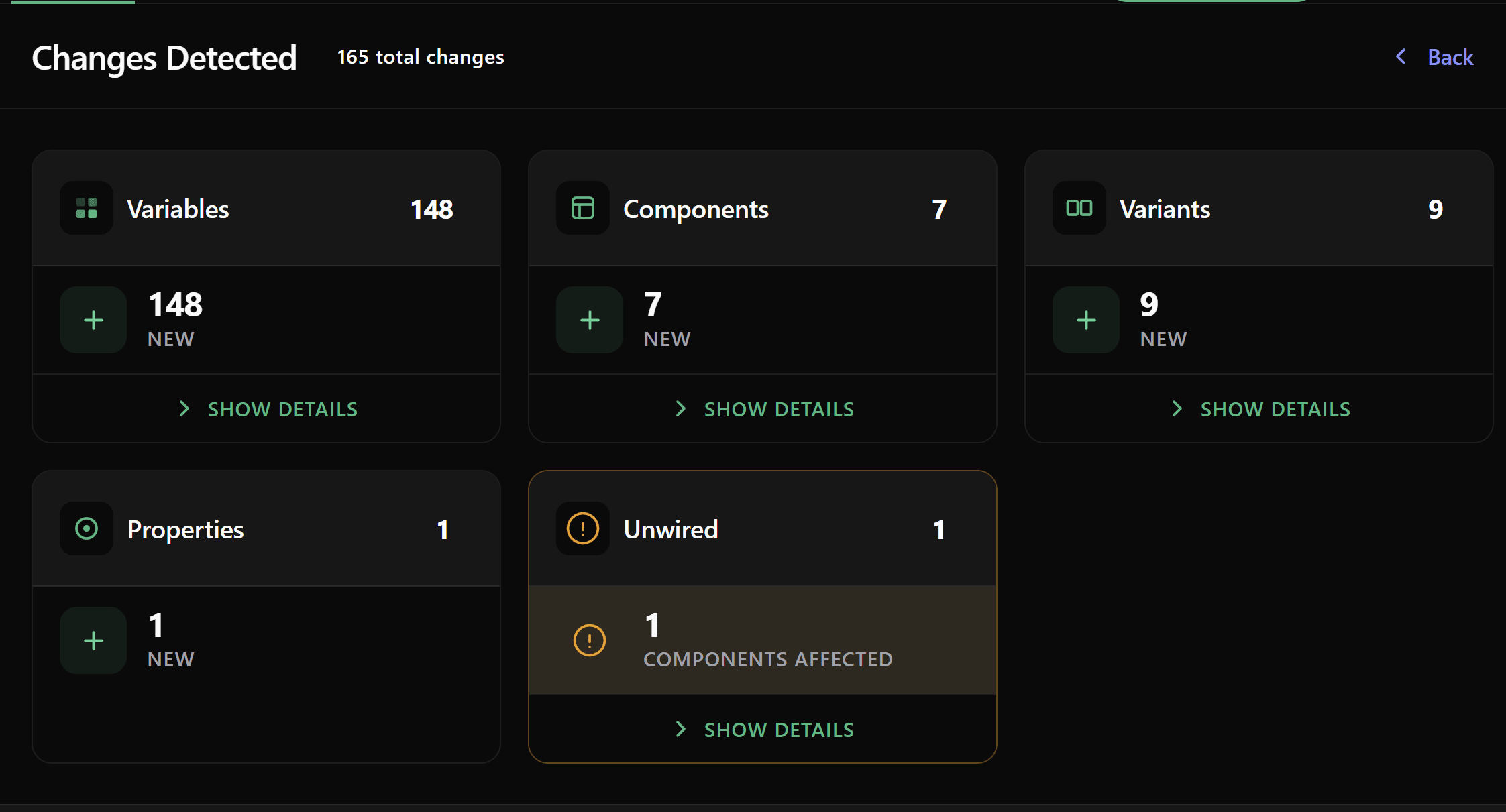
When you run a scan, you get a new Unwired card alongside Variables, Components and Variants. Click into it and you get a breakdown: which component, which property, which suggested variable. So instead of a vague "the design system is drifting" feeling, you get a list of fifteen specific fixes in front of you.
The other thing that changed: there's a warning before you export if there are unwired properties. You can still ship the export, but you'll know exactly what's going out as raw values versus what's bound to the system. No surprises in the PR review.
This one came directly from teams who told me they were exporting clean tokens and still ending up with hardcoded values in production. The plugin can't fix the components for you, but at least it stops being silent about them.
Code Gen that actually uses your tokens
If you've used the Code Gen tab before, the generated CSS used to look something like background: #2DD4BF. Useful for a one-off, useless for a design system.
Now it generates background: var(--color-primary), picking up whichever variable your component is bound to in Figma. Same for spacing, radius, typography — the output references your tokens instead of duplicating values.
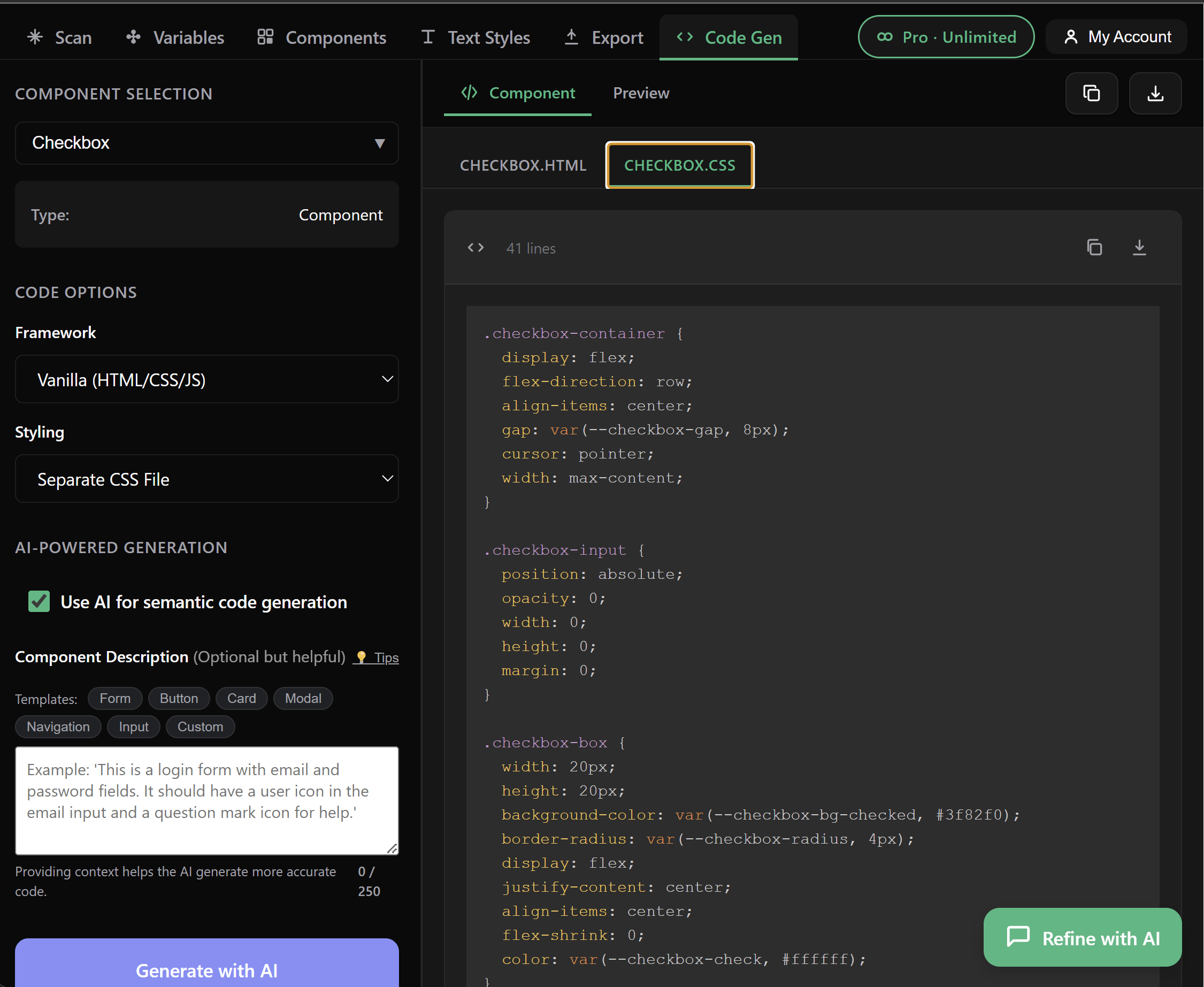
Two more quality-of-life fixes here:
- Selecting multiple variants now generates code for all of them, not just the first. So a Button with primary, secondary and ghost variants gives you three blocks, properly named.
- Generated code persists when you switch tabs. No more losing your output because you peeked at Variables for half a second.
- Cleaner export output — internal collection prefixes (the
__internal_noise) are stripped automatically.
Push to GitHub or Bitbucket as a PR
This was already in v1, but it's worth re-mentioning because most people I demo this to don't realise it exists. You can push your tokens and components directly to a repo as a pull request — title, description, branch name, all auto-generated and editable before you click Continue to GitHub.
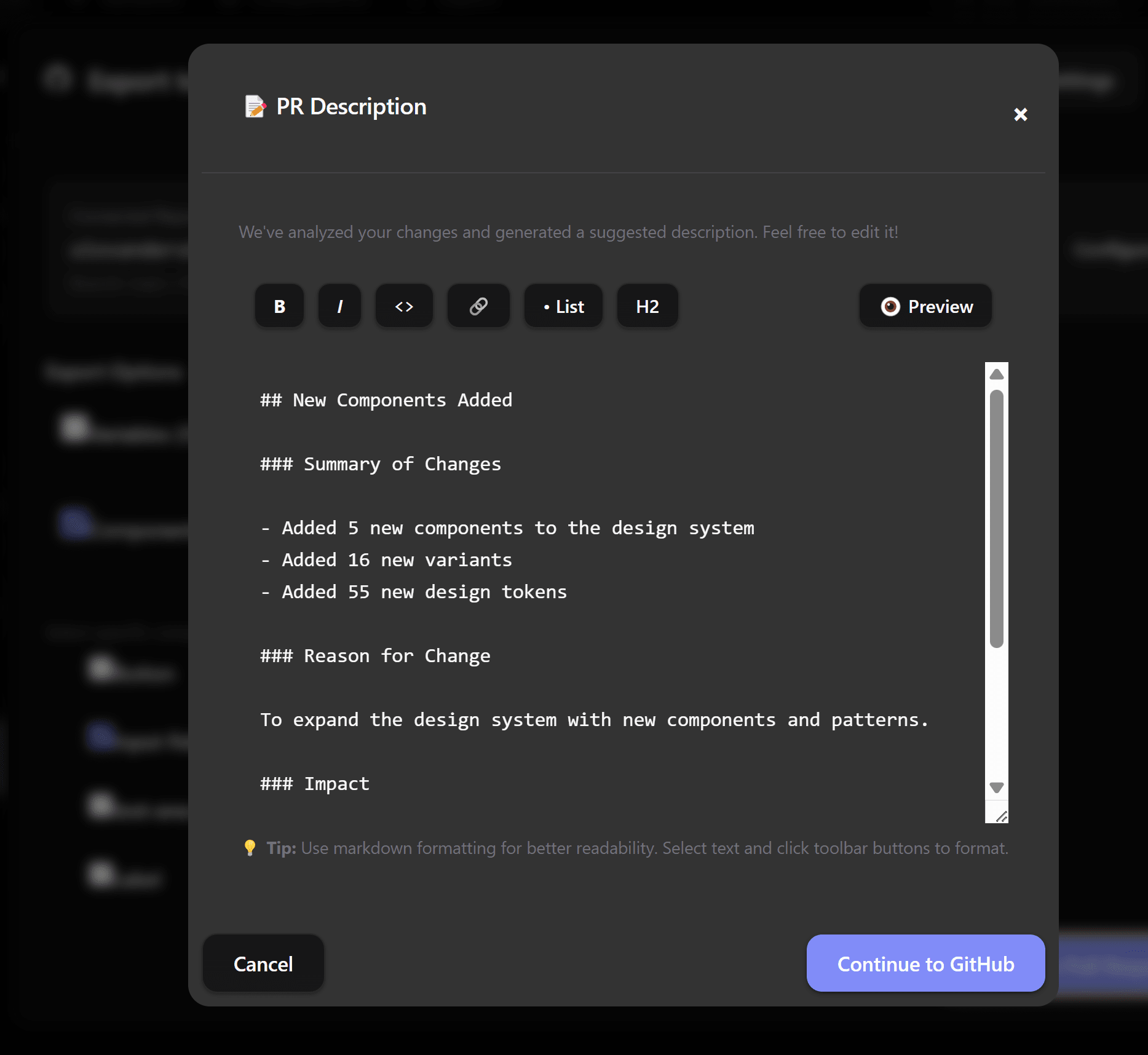
The plugin analyses what changed since the last export and writes a draft summary for you ("Added 5 new components, 16 new variants, 55 new design tokens"). Combined with token references being preserved, you get clean, reviewable PRs that don't just dump 800 changed values into the diff.
The small stuff that adds up
Beyond the headline features, v2 also ships:
- Refunds inside the plugin — request one from My Account; under 14 days is automatic, older requests get a manual review within two business days
- Searchable export review — long component lists no longer overflow the modal, and there's a "View all" button that opens an organised list grouped by category
- Faster scans — variable detection got noticeably quicker, especially on files with hundreds of components
- A handful of bug fixes around opacity values, variable bindings, and edge cases in text style exports
Wrapping Up
If I had to pitch v2 in a single sentence: it's the version that treats your tokens like a contract instead of a snapshot. Text styles export with references intact, components get audited for drift, and the code you generate actually points back at your system.
- Text Styles tab exports W3C Tokens, CSS or Style Dictionary — token references preserved
- Unwired Detection finds components quietly using hardcoded values, before they hit production
- Code Gen uses your design tokens (
var(--token)) instead of raw hex and px - GitHub & Bitbucket PRs with auto-generated summaries of what changed
If you run a design system and any of this resonates, install the plugin and run a scan on your file. Even if you don't push anything, the unwired report alone tends to be eye-opening.
And if you want to go deeper into building real, production-ready CSS design systems step by step, check out my full course here: CSS Design Systems Course.
Got questions or want to share what your unwired count looks like? Drop me a message on LinkedIn or follow me on Twitter/X — I'd love to hear how teams are using it.