Ever wondered why some teams seem to ship modern CSS features like :has() or Container Queries months before everyone else, while your team is still debating if it's 'safe' to use? It usually isn't because they have a higher risk tolerance—it's because they have better governance.
The Web Platform DX group has given us a gift called Baseline. It's a way of categorising web features based on their real-world availability across major engines like Chromium, Gecko, and WebKit. But here's the secret: you shouldn't just look at Baseline on MDN; you should bake it directly into your design system.
The Three Pillars of Baseline
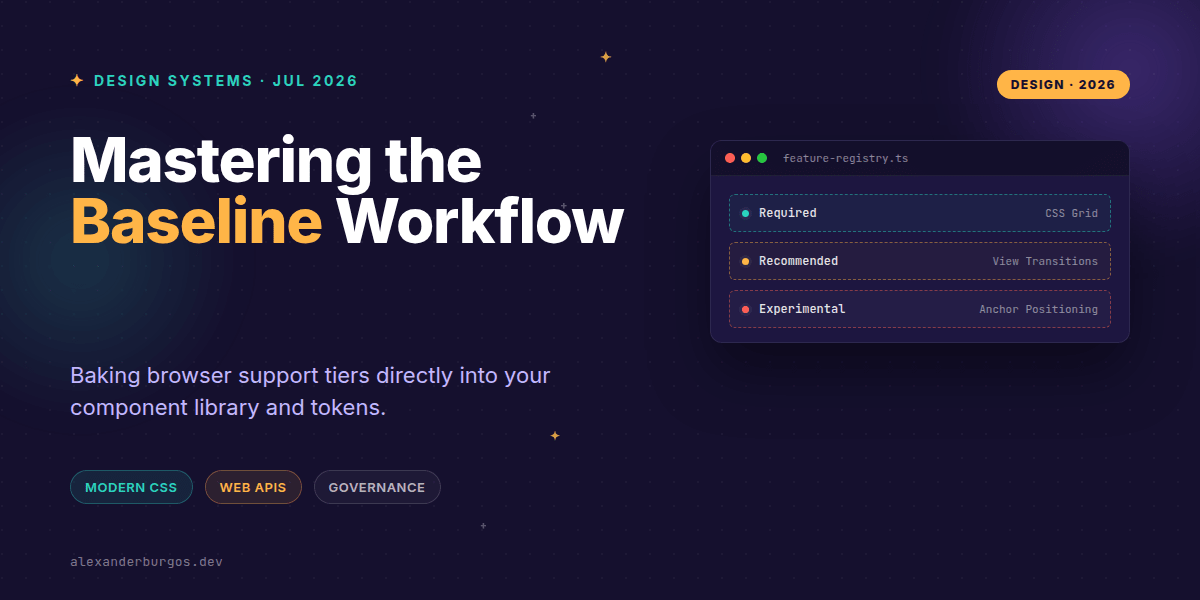
Chrome's Developer Relations team uses three specific priority levels to communicate adoption guidance. When we bring these into a design system, they act as a traffic light system for our engineers.
- Required: These are features supported by all major browsers with no serious gaps. They are safe for core layout and essential UI logic.
- Recommended: Broadly supported but might have minor caveats or need a polyfill. These are great for enhancement but shouldn't be 'load-bearing' for every user.
- Experimental: Features in preview or behind flags. These MUST be gated and used only via progressive enhancement.
By mirroring these levels in your documentation, you remove the 'compatibility guesswork' that slows down Senior UX Engineers.
Mapping Baseline to Your Registry
I've found that the best way to manage this is through a central feature registry. Instead of every developer checking Can I Use, the design system tells them exactly how to handle a specific API.
export const featureRegistry = {
  'css-has-selector': {
    baseline: 'experimental',
    usage: 'progressive-enhancement',
    fallback: 'optional-styling'
  },
  'view-transitions': {
    baseline: 'recommended',
    usage: 'js-gated',
    check: () => 'startViewTransition' in document
  }
};
This registry can then be surfaced in your Storybook docs or even used to power custom ESLint rules that warn developers when they're using an experimental feature without a proper fallback.
Progressive Enhancement in Practice
Let's look at a practical example. Say you want to use the :has() selector to style a button based on its icons. In a design system, you'd treat this as an experimental or recommended enhancement.
/* Required: Base styles for everyone */
.ds-button {
  display: inline-flex;
  padding: 0.5rem 1rem;
}

/* Experimental: Enhanced spacing if :has is supported */
@supports(selector(:has(span))) {
  .ds-button:has(.ds-icon) {
    gap: 0.5rem;
  }
}
By using @supports, you're following the Baseline philosophy: use the best tool available, but don't break the experience for users on older engines. It's about being responsible, not just being trendy.
Common Pitfalls to Avoid
One mistake I see often is assuming 'Baseline' means 'IE11 compatible.' It doesn't. Baseline is about major modern engines. If your product still supports ancient versions of Android WebView or enterprise-locked browsers from five years ago, you'll need to layer your own support matrix on top.
Also, don't forget Web APIs! Baseline isn't just for CSS. Things like the Clipboard API or View Transitions should be tagged in your interactive pattern docs just like your colour tokens.
Wrapping Up
- Adopt the Required/Recommended/Experimental tiers to standardise browser support conversations.
- Use a central feature registry to map MDN data to your specific design system components.
- Always gate Experimental features behind
@supportsor feature detection to ensure graceful degradation.
I'd encourage you to start small. Take one 'Recommended' feature you've been hesitant to use and document its safe usage path in your system. You'll be surprised how much confidence it gives the rest of the team.
If you want to go deeper and learn how to build real, production-ready CSS design systems step by step, check out my full course here: CSS Design Systems Course
The full story including the testing layers and governance lives in Ship Your Design System on Amazon.
Feel free to reach out and share your thoughts on Twitter https://x.com/alexandersstudi or connect with me on LinkedIn https://www.linkedin.com/in/alexandersstudio/